
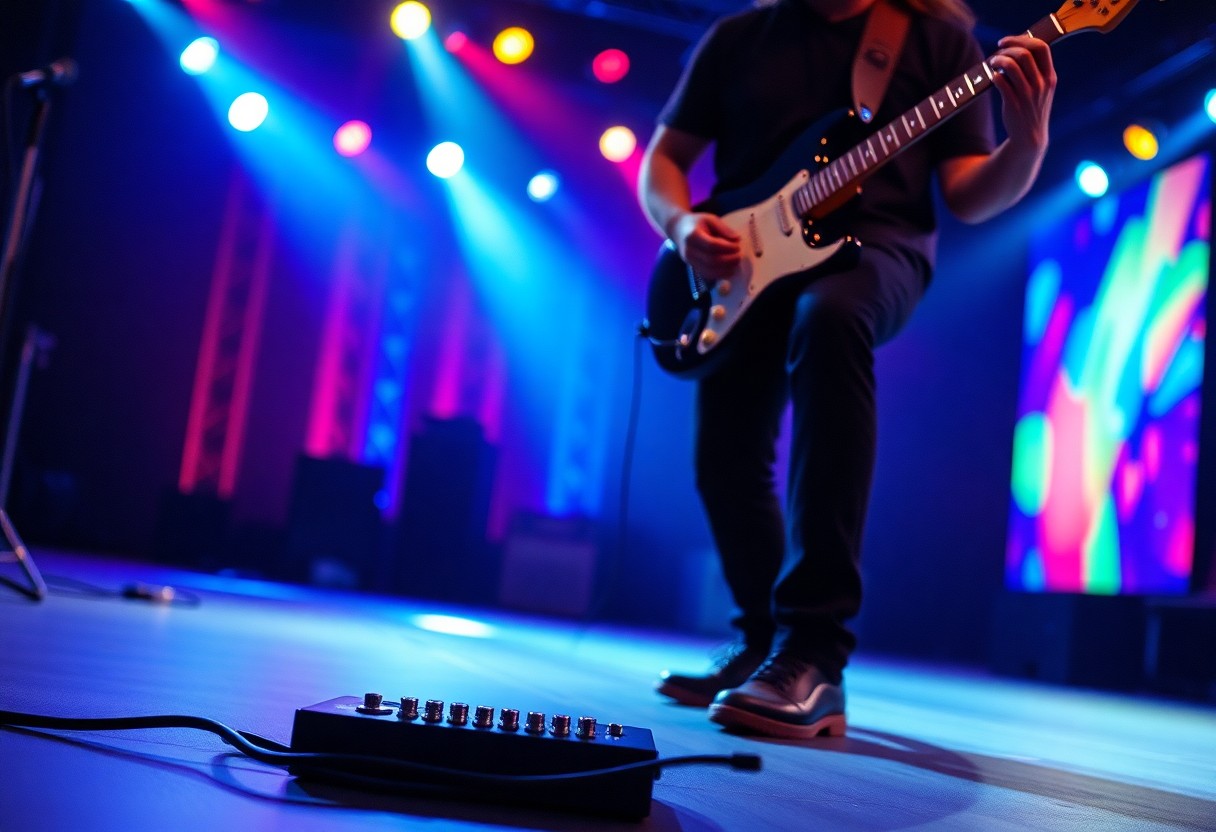

Guitar playing can be transformed dramatically with the use of a delay pedal, which adds depth and texture to your sound. By understanding how to integrate this powerful tool into your setup, you can create mesmerizing soundscapes that captivate your audience. In this guide, you’ll learn about different delay types, key settings, and practical tips that will help you enhance your playing. With a little practice and experimentation, you’ll unlock the potential to elevate your music, all while avoiding common pitfalls. Get ready to explore a world of sonic possibilities!
Key Takeaways:
- Familiarize yourself with the different delay settings, such as time, feedback, and level, to craft the desired sound.
- Experiment with combining delay effects with various playing techniques, like arpeggios and strumming, to create depth in your music.
- Practice playing along with a metronome or backing track while using the delay pedal to improve timing and rhythmic accuracy.
The Sonic Impact of Delay Pedals on Guitar Tone
Exploring Delay Types: Analog vs. Digital
Each category of delay pedal offers distinct characteristics that influence your sound. Analog delays create a warm, rich tone with a natural decay, while digital delays provide *precise* and pristine repeats. Consider your musical style and how each type complements your playing. Examining the subtleties of each can enhance your performance.
| Delay Type | Characteristics |
| Analog | Warm, rich tone with natural decay |
| Digital | Precise and pristine repeats |
| Tape | Vintage sound with modulation effects |
| Multi-tap | Multiple echoes for complex textures |
| Reverse | Creates unique sounds by playing the echo backward |
Recognizing the unique tones and textures each delay type can produce allows you to tailor your tone to your specific musical needs.
The Distinctive Echo: How Delay Shapes Sound Texture
The inclusion of delay pedals in your rig not only enhances depth but significantly alters the overall texture of your sound. When you engage a delay, the echoes you create can fill in gaps, layer harmonies, and create a sense of space that is hard to achieve otherwise. Experimenting with different delay times and feedback levels can generate everything from subtle ambiance to pronounced rhythmic patterns. This can transform simple melodies into dynamic soundscapes. A well-timed delay allows your playing to breathe while drawing the listener’s attention to intricate phrases within your musical narrative.
Essential Gear for Mastering Delay Pedals
Recommended Delay Pedals for Beginners
Selecting the right delay pedal can significantly enhance your playing experience. For beginners, consider options like the Boss DD-7, which offers a range of delay times and modulations, or the MXR Carbon Copy, celebrated for its warm analog sound. Both are user-friendly and versatile, perfect for those just starting to explore the world of delay effects.
Setting Up Your Pedalboard: Tips and Tricks
Arranging your pedalboard can influence your overall tone and accessibility during performances. Position your delay pedal after any distortion or overdrive pedals to maintain clarity. Keep vital pedals within easy reach, and experiment with the order to find out what best suits your style. Assume that optimizing your layout will help you access effects seamlessly while performing.
- Place delay pedals after distortion for clearer sound.
- Use patch cables that minimize excess signal loss.
- Label your pedals for quick identification during gigs.
Over time, you’ll develop a preferred setup that complements your guitar playing style. The key is to experiment with the placement of your delay paired with overdrive, reverb, and other effects to shape your unique sound. Assume that the more you practice and tweak your setup, the more natural it will feel during performances.
- Experiment with different pedal placements for varied sounds.
- Use a pedal tuner at the beginning of your chain for accurate tuning.
- Consider using power supplies for consistent voltage and clean power.
Timing is Everything: The Role of Delay in Rhythm
Syncing Delay with Tempo: The Beat Connection
Establishing a tight relationship between your delay settings and the song’s tempo is crucial for achieving a cohesive sound. By adjusting the delay time to match the song’s beats per minute (BPM), you can create rhythms that feel natural and syncopated. Many delay pedals feature a tap tempo function that allows you to set the delay time in real-time, enabling you to fine-tune your sound in the moment. This technique transforms your playing by adding rhythmic complexity, helping you lock your riffs seamlessly with the underlying beat.
Creative Applications: Using Delay to Enhance Groove
Delay can be a powerful tool for enriching your guitar grooves, allowing for intricate layering of sound. By employing different delay times, feedback levels, and modulation effects, you can experiment with various rhythmic patterns and textures. For example, using a shorter delay time can create a punchy, staccato feel, while longer delays add a flowing, ambient quality. This versatility lets you build your musical identity and adds depth to your performance, inviting listeners into a dynamic sonic landscape.
Think about incorporating rhythmic delay during your solos or melodic lines; it can create cascading echoes that enhance the groove of your playing. By experimenting with various feedback settings, you can create swirling patterns that evolve over time, adding layers that draw listeners in. Moreover, utilizing feedback for a build-up effect before a chorus or climax can amplify the emotional impact of your performance. Using delay in this way encourages you to explore your creativity, turning ordinary riffs into captivating auditory experiences.
Building Melodic Landscapes with Delay Effects
Layering Sounds: Creating Rich Textures
Combining multiple delay settings allows you to build a tapestry of sound, layering your guitar notes to create captivating textures. Adjusting the mix levels of each delayed signal lets you control how prominent these layers are in the overall sound. Try using a short delay alongside a longer one: the short delay adds clarity to your notes while the longer one creates a lush wash of sound. Experimenting with different feedback settings can yield surprising results, resulting in a sonic landscape that captivates listeners and adds depth to your performance.
Exploring Delay Feedback for Complex Melodies
Engaging with the feedback knob on your delay pedal opens up a realm of possibilities for crafting intricate melodies. By manipulating the number of repeats, you can create a sense of space and continuity in your playing. Increasing feedback leads to cascading echoes that intertwine with your original melody, resulting in rich, harmonic complexities that inspire creativity. Careful control of your guitar’s dynamics and the temporal distance between your notes can bring your compositions to life, ensuring that each delay interacts smoothly with the next, creating seamless interweaving of sounds.
For deeper exploration, consider setting the delay feedback to an extreme level—this pushes the boundaries of your compositions, layering repeated notes that can shift perception and rhythm altogether. Imagine playing a simple riff and cranking the feedback until it spirals into a resonant cloud of sound, giving rise to completely new melodic ideas. Use this technique to develop themes or motifs throughout a piece, as the echoes create a sense of continuity and depth. Finding the sweet spot between chaos and order not only enriches your performance but also invites your audience to investigate the expansive aural landscape you’ve crafted.
Crafting Unique Soundscapes with Modulation and Delay
Mixing Modulation Effects with Delay Pedals
Incorporating modulation effects such as chorus, flanger, or phaser with your delay pedal can create a rich, immersive sound landscape. By adjusting the modulation’s rate and depth, you can achieve swirling repeats that not only add interest but also enhance the overall texture of your playing. Experimenting with the placement of these effects in your signal chain is key; placing modulation before the delay often results in lush, pronounced echoes, while placing it afterward yields more subtle movement within the delay repeats.
Real-World Examples: Iconic Songs Using Delay
Many legendary songs successfully showcase the creative use of delay effects, shaping their unmistakable sound. For instance, “Where the Streets Have No Name” by U2 features the iconic jangly guitar intro that’s heavily reliant on delay. Similarly, “Shine On You Crazy Diamond” by Pink Floyd employs extensive delay and modulation, contributing to its atmospheric texture. By studying these tracks, you can gain insight into how delay enhances melodic ideas and creates emotional depth in music.
In addition, “Run Like Hell” by Pink Floyd stands out for its rhythmic use of delay, giving it a driving force that complements the song’s themes. The ethereal sounds in “Little Wing” by Jimi Hendrix demonstrate how delay can add a sense of space, making every note feel expansive. From The Edge’s landscapes in U2 to the ambient soundscapes of Radiohead, these iconic songs highlight how integral delay can be in constructing memorable music. Emulating these artists’ techniques can inspire your own sound, encouraging exploration of how delay pedals can transform your guitar playing into a compelling audio experience.
Advanced Delay Techniques for Experienced Players
Your journey with delay pedals doesn’t have to stop at the basics. Exploring these advanced techniques can elevate your playing style and enhance your live performance. Here are some methods that can help you truly utilize your delay to its fullest potential:
- Wet/Dry Mixing: Create a blend of delayed and dry signals to add depth without overwhelming your clean tone.
- Tempo Sync: Match the delay time to your song’s tempo for perfectly timed repeats.
- Reverse Delay: Use a reverse setting for unique soundscapes that pull the listener in.
- Delay Swells: Use volume dynamics for ethereal sounds, gradually increasing the volume after you play.
- Layering Delays: Stack multiple delay settings to create complex textures and atmospheres.
| Technique | Description |
| Wet/Dry Mixing | Blending delayed and non-delayed signals for a balanced sound. |
| Tempo Sync | Adjusting delay time to align with the song’s BPM for musicality. |
| Reverse Delay | Creating dreamy, backward-sounding echoes. |
| Delay Swells | Crafting ambient sounds through gradual volume control. |
| Layering Delays | Utilizing multiple delays for rich, textured sound. |
Utilizing Delay in Live Performance Settings
Transforming your live performances can be achieved through the strategic implementation of delay. Using it to create dynamic build-ups during solos or transitions adds an engaging layer that captivates the audience. For instance, employing a long delay on a solo can evoke an emotional response while inviting listeners into the soundscape, keeping them connected to your set.
Composing with Delay: Transforming Ideas into Songs
Incorporating delay into your composition process opens up new avenues for creativity. By layering delay effects, you can take simple riffs or ideas and morph them into intricate, layered soundscapes. Overdubbing your guitar parts with varying delay settings allows for a rich, evolving musical texture that supports your primary melody.
Exploring composition with delay pedals empowers you to rethink your music. Experimenting with different delay times, feedback levels, and modulation effects can lead to unexpected results—like creating lush atmospheres or complex rhythmic patterns that enhance your musical storytelling. Don’t shy away from layering multiple tracks with varying delay settings, as this can create a multi-dimensional listening experience, setting your songs apart in a flooded market.
Troubleshooting Common Delay Challenges
Achieving the Right Balance: Delay Level vs. Dry Signal
Striking the right balance between the delay level and your dry signal can transform your sound. A stronger dry signal can serve as a foundation, allowing your delays to sit harmoniously in the mix without overpowering your original tone. Experiment with the delay level, aiming for a blend that enhances your playing while keeping the core of your sound intact. Too much delay can muddy your tone, so it’s a fine line to walk.
Common Setup Errors and How to Avoid Them
Many players encounter pitfalls during setup, like incorrect placement of the delay pedal, which can drastically alter your sound. Positioning delays after distortion in your signal chain typically yields the best results since it maintains your guitar’s character while allowing the delays to expand the sonic palette. Verify connections, ensuring nothing is loose; even minimal cable issues can manifest as unwanted noise or weak signals.
For instance, if you run a delay pedal before compression and distortion, you’ll likely lose definition in your sound. Instead, the pedal should go after those effects, letting the delays breathe without being choked. Additionally, using a high-quality patch cable can minimize signal loss, which often slips under the radar while setting up. Check your pedal settings—feedback and time settings often require fine-tuning to sync with the tempo and style of the music you’re playing.
Incorporating Delay into Various Musical Styles
Rock, Jazz, and Beyond: Adapting Delay for Different Genres
Different musical styles employ delay in unique ways to enhance their sound. In rock, you can use longer delay times for epic solos, immersing listeners in a sonic landscape. Jazz often incorporates shorter, subtle delays to create depth without overwhelming the intricate improvisation. Other genres like ambient music apply extensive delay to create atmospheric soundscapes, while pop often uses rhythmic delays that complement vocal lines and hooks.
Case Studies: Iconic Guitarists Known for Their Use of Delay
Examining the approaches of guitarists renowned for their use of delay can provide insights into the versatility of this effect. Players like David Gilmour, The Edge, and Jimmy Page are excellent case studies. Analyzing their techniques reveals how delay can shape a guitarist’s signature sound across different contexts, adding depth and emotion to their performances.
- David Gilmour: Utilizes multiple delay settings to create a lush soundscape in tracks like “Comfortably Numb,” often using a delay time of around 400ms.
- The Edge: Known for his rhythmic staccato delay in U2’s “Where the Streets Have No Name” with a delay set at ¼ notes, producing a unique, pulsating sound.
- Jimmy Page: Uses tape delay for atmospheric solos, as heard in “Whole Lotta Love,” where it adds an echo that enhances his powerful riffs.
- Steve Vai: Incorporates delay as an instrument in tracks like “For the Love of God,” using it for both melodic and atmospheric effects, often pushing 800ms delay for dramatic builds.
- Pink Floyd’s Richard Wright: His use of delay on keyboard parts in “Breathe” complements Gilmour’s guitar, weaving intricate sound layers that enhance the overall texture.
By studying these iconic artists, you can begin to understand how varying delay settings not only enhance individual tracks but also contribute significantly to a musician’s overall aesthetic. These players leverage delay to create specific emotional responses, proving that with the right approach, this effect can fundamentally alter the landscape of your music.
Conclusion
Upon reflecting, incorporating a delay pedal into your guitar playing can significantly enhance your sound and creativity. By experimenting with different delay settings, understanding how to blend it with your performance, and practicing various techniques, you can create captivating tones that resonate. Embrace the versatility of the delay pedal to complement your style, whether it’s for subtle echoes or expansive soundscapes. With time and experimentation, you’ll unlock new dimensions in your guitar playing, elevating your musical expression to the next level.
FAQ
Q: What is a delay pedal and how does it work?
A: A delay pedal is an effects unit that records an instrument’s audio signal and plays it back after a specified period of time. This effect creates an echo-like sound. The delay can be adjusted with parameters like time, feedback, and mix, allowing guitarists to create different atmospheric sounds or rhythmic patterns.
Q: How do I set up my delay pedal for the best sound?
A: To achieve the best sound with your delay pedal, start by connecting it between your guitar and amplifier. Adjust the delay time based on the tempo of the song you’re playing; for slower tempos, use longer delays and for faster tempos, use shorter ones. Test the feedback setting to customize the number of repeats, and ensure the mix is balanced so that the delayed signal complements your original tone without overshadowing it.
Q: What are some techniques to use a delay pedal effectively while playing guitar?
A: Effective techniques include using delay during solos to create a fuller sound, incorporating it with chords for atmospheric effects, or employing rhythmic delay patterns to enhance your playing. Experimenting with varying settings while playing will help you find unique sounds and styles. Additionally, consider using the pedal in conjunction with other effects like reverb or distortion for more depth.
Q: Can I use a delay pedal for different music genres?
A: Yes, delay pedals can enhance the sound across various music genres. In rock and pop, they are commonly used to add depth to solos. In ambient and electronic music, they can create lush soundscapes. In country and blues, a subtle delay can add dimension to clean tones. Explore different settings to tailor the effect to match the style you’re playing.
Q: Are there any common mistakes to avoid when using a delay pedal?
A: Yes, some common mistakes include setting the delay time too long, which can muddy the sound, or not adjusting the mix level properly, leading to an overpowering echo. It’s also easy to forget about the feedback setting, which can sometimes lead to an overwhelming number of repeats. Always test your sounds in context with the rest of the music, and don’t hesitate to tweak settings as you play.